

Описание

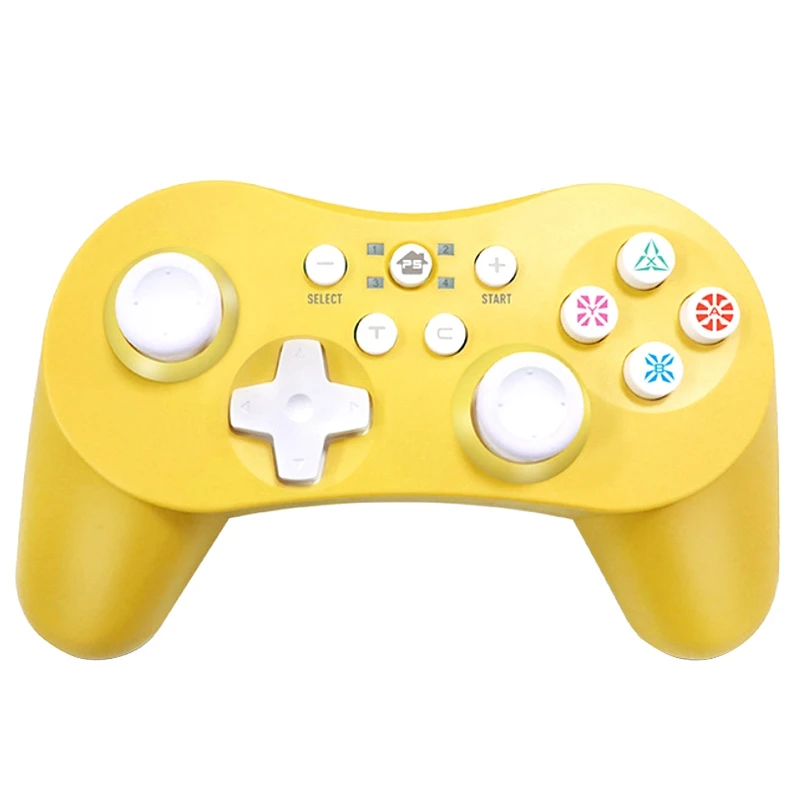
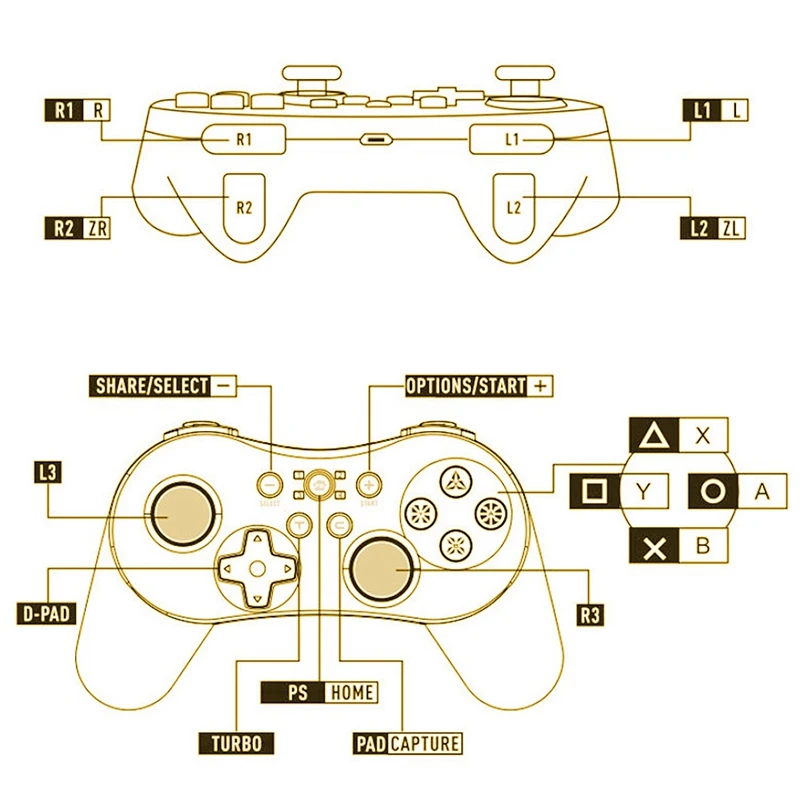
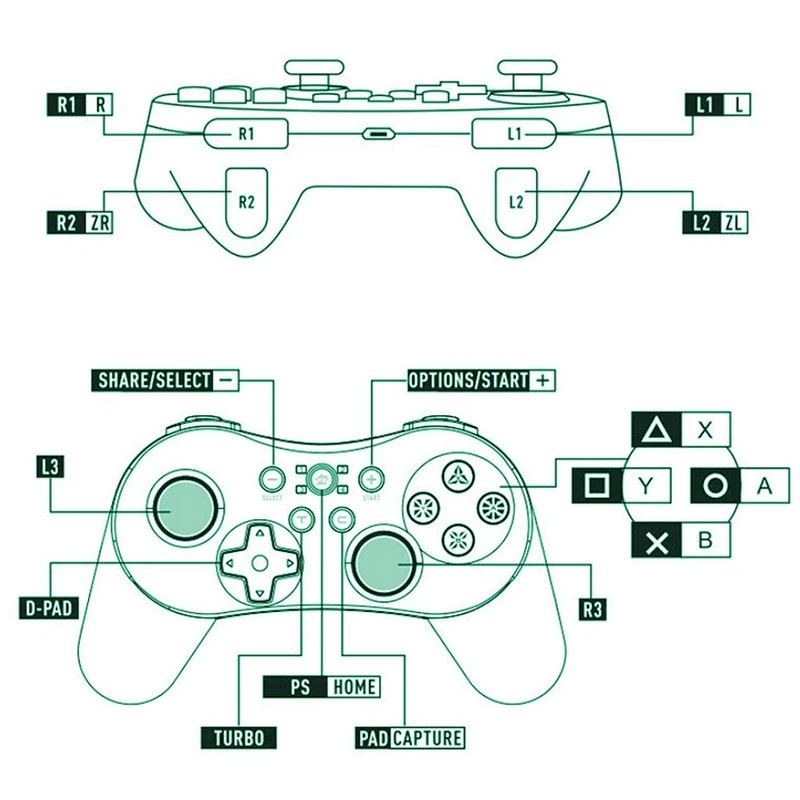
for Switch:1. Press Y+homE to power on and enter Switch pairing mode,2. LED 1-4 will flash cyclically. Enter pairing interface on console and it will pair automatically.
3. Once the connection is successful, console will distribute channel then the corresponding channel s indicator light will turn on and remain.4. Place for switch on the dock and connect with controller via cable.
the controller will pair automatically Even plug out the cable, the controller will reconnect to the console automatically via bluetooth.for PS3:1. If the controller hasn t connected to current for ps3 console or has connected to other console before for the first time user need to connect controller to the console by USB cable through which process the program will match code automatically. then user can proceed wireless communication via Bluetooth for the next time
2. If the controller is connected via USB cable once time, press the ps button to connect next time.for PC/PC360,1. Connect via cable: With the controller off, connect to pc by USB cable. once the connection is successful, it defaults to be xinput mode and LED 2 channel light will remain on. Long press START+SELECT for 3 seconds to switch to iNPUT mode lEd 3 channel light will turn on and remain
2. Connect via Bluetooth: If the windows device has bluetooth function or adapter, press Y+HOME to start up controller and enter airing mode LED 1-4 will flash cyclically. Open bluetooth function on device, find"Pro Controller", click on it to pair. Once the connection is successful, the led 4 will light and remain
Android
1. Press B+HOME to enter Android pairing mode LED 1-4 will flash
cyclically.
2. Open bluetooth on the device. Find"Gamepad", and click on it to
pair. Once the connection is successful, LED 1 will remain on
3. Support mouse, press L3+R3 to open mouse function. ( Connect via
Bluetooth)
4" Turbo" function
How to set and cancel "turbo" function
1. Press"Turbo"and any other function button such as a at the
same time, the "A"button setting the "Turbo"function
2. Press the button which one setted " turbo" function and
Turbo button at the same time can cancel
3.ABXYR1.R2 L1L2 can set Turbo"function
Совместимый бренд/Модель: nintendo
Для Модель nintendo: nintendo SWITCH
Тип интерфейса: Bluetooth
Тип: геймпады
Номер модели: bluetooth-геймпад
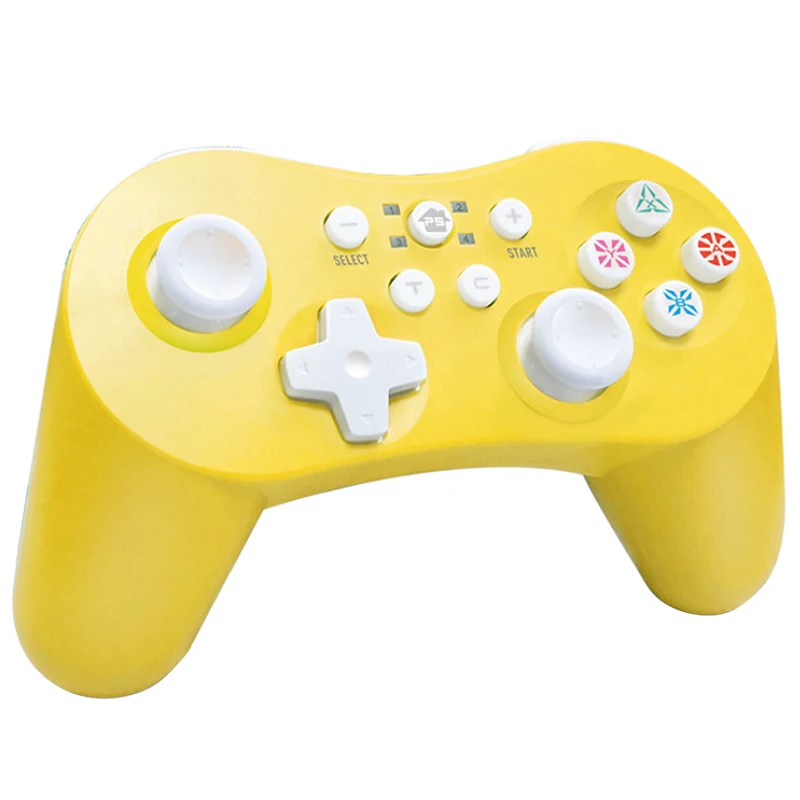
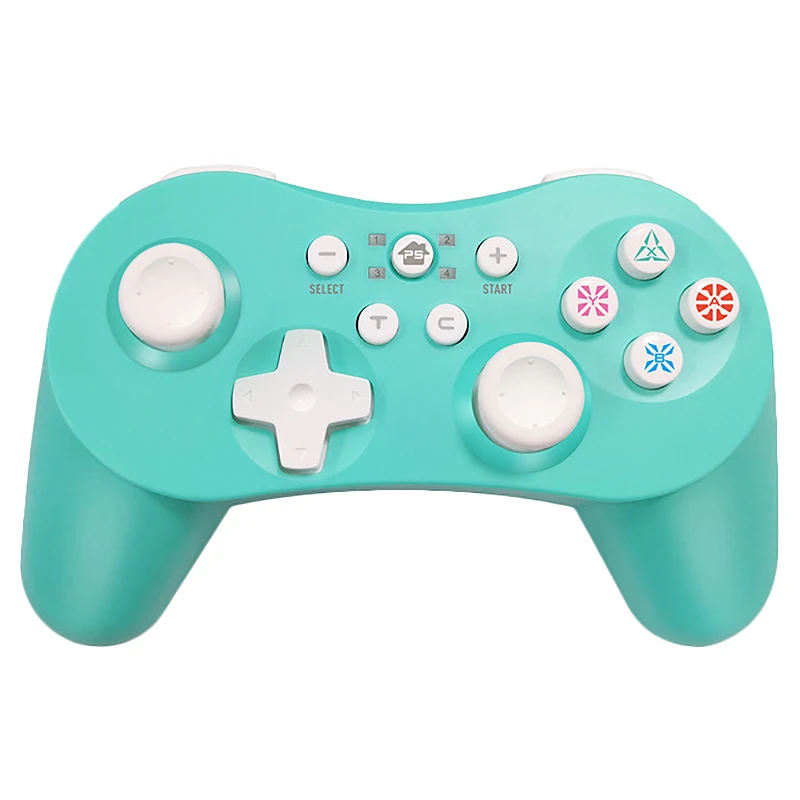
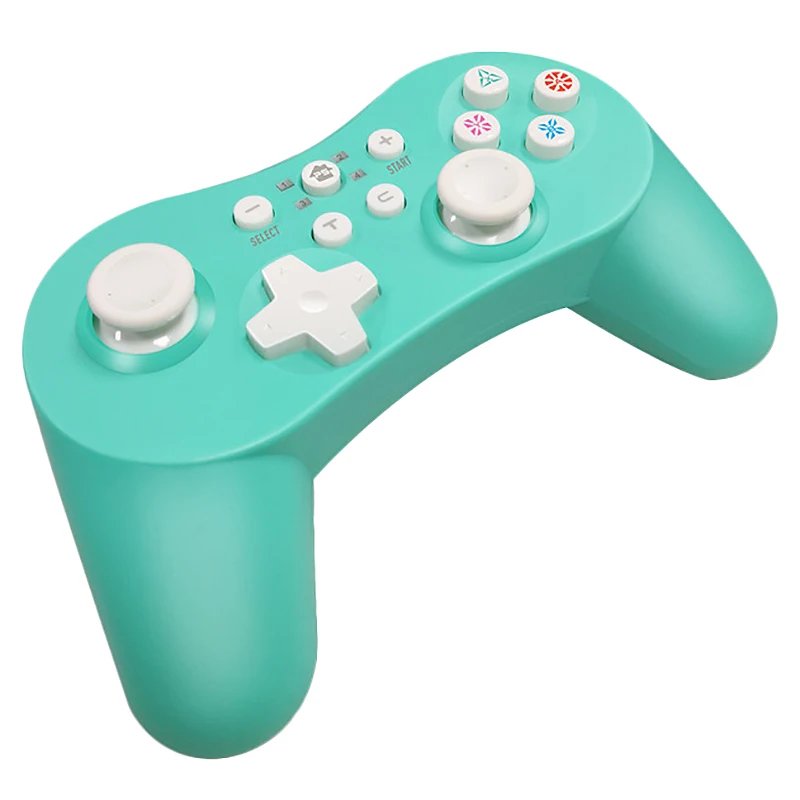
Цвет: желтый/голубой
Материал: АБС-пластик
Размер: 10*6*3 см
Посылка в комплект входит:
1 * геймпад
1 * кабель для передачи данных
1 * Руководство пользователя
Предупреждение:
Не подвергать контроллер высокой температуре, высокой влажности
О прямых солнечных лучей
Не допускайте попадания жидкости или мелких частиц в контроллер
Не кладите тяжелый предмет на контроллер
Не разбирайте контроллер
Не скручивайте и не тяните кабель слишком сильно
Не Кидайте, не роняйте и не наносите сильный удар на контроллер
Только вышеуказанная посылка, другие товары не включены.
Примечание: светильник и различные дисплеи могут привести к тому, что цвет изделия на картинке немного отличается от реального. Допустимая погрешность измерения составляет +/-1-3 см.
3. Once the connection is successful, console will distribute channel then the corresponding channel s indicator light will turn on and remain.4. Place for switch on the dock and connect with controller via cable.
the controller will pair automatically Even plug out the cable, the controller will reconnect to the console automatically via bluetooth.for PS3:1. If the controller hasn t connected to current for ps3 console or has connected to other console before for the first time user need to connect controller to the console by USB cable through which process the program will match code automatically. then user can proceed wireless communication via Bluetooth for the next time
2. If the controller is connected via USB cable once time, press the ps button to connect next time.for PC/PC360,1. Connect via cable: With the controller off, connect to pc by USB cable. once the connection is successful, it defaults to be xinput mode and LED 2 channel light will remain on. Long press START+SELECT for 3 seconds to switch to iNPUT mode lEd 3 channel light will turn on and remain
2. Connect via Bluetooth: If the windows device has bluetooth function or adapter, press Y+HOME to start up controller and enter airing mode LED 1-4 will flash cyclically. Open bluetooth function on device, find"Pro Controller", click on it to pair. Once the connection is successful, the led 4 will light and remain
Android
1. Press B+HOME to enter Android pairing mode LED 1-4 will flash
cyclically.
2. Open bluetooth on the device. Find"Gamepad", and click on it to
pair. Once the connection is successful, LED 1 will remain on
3. Support mouse, press L3+R3 to open mouse function. ( Connect via
Bluetooth)
4" Turbo" function
How to set and cancel "turbo" function
1. Press"Turbo"and any other function button such as a at the
same time, the "A"button setting the "Turbo"function
2. Press the button which one setted " turbo" function and
Turbo button at the same time can cancel
3.ABXYR1.R2 L1L2 can set Turbo"function
Совместимый бренд/Модель: nintendo
Для Модель nintendo: nintendo SWITCH
Тип интерфейса: Bluetooth
Тип: геймпады
Номер модели: bluetooth-геймпад
Цвет: желтый/голубой
Материал: АБС-пластик
Размер: 10*6*3 см
Посылка в комплект входит:
1 * геймпад
1 * кабель для передачи данных
1 * Руководство пользователя
Предупреждение:
Не подвергать контроллер высокой температуре, высокой влажности
О прямых солнечных лучей
Не допускайте попадания жидкости или мелких частиц в контроллер
Не кладите тяжелый предмет на контроллер
Не разбирайте контроллер
Не скручивайте и не тяните кабель слишком сильно
Не Кидайте, не роняйте и не наносите сильный удар на контроллер
Только вышеуказанная посылка, другие товары не включены.
Примечание: светильник и различные дисплеи могут привести к тому, что цвет изделия на картинке немного отличается от реального. Допустимая погрешность измерения составляет +/-1-3 см.

|



All of product we can shipping out within 5~8 weekday, on usually we are according to customer orders time for packing and shipment, we need to carefully check the quality of the goods before to Ship, So take some time to handled. Time of delivery: Due to force majeure factors: hurricanes, rainstorms affect flights. Leading to logistics delays. We are honest sellers, will not let you suffer any loss. Please give the logistics company a little processing time, we wait for the package to reach your side. If your logistics information arrives at the local post office: If the local post office does hasn't contact you, please contact your local post office as soon as possible to get your package. Otherwise, overtime receipt of parcels, the local post office will return your parcel, the consequences of self-responsibility. Protection time is running out: When we have finished time of shipment, if the product protection period running out, please extend the product protection period by yourself or contact us, Please kindly don't open the dispute directly. Import duties: Taxes and charges are not included in the item price or shipping charges. These charges are the buyer's responsibility. Import duties, taxes and charges are not included in the item price or Shipping charges. These charges are the buyer's responsibility

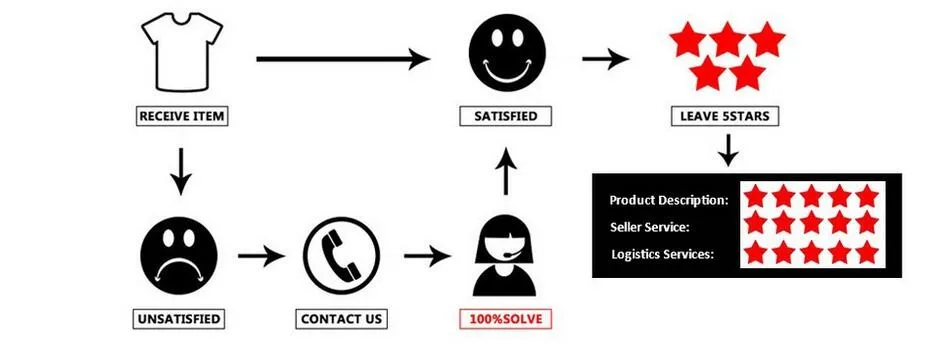


If items damaged,we must be contacted within 24 hours of receipt.
If the item is in your possession more than 7 days, it is considered used and we will not issue you a refund or replacement. If you are not satisfied when you receive the item (incorrect, damaged, defective, or item not as described), please return it within 7 days for a replacement or money back.For any personal reasons (choose a dislike or i needn't this product anymore),Return shipping charger will be the buyer's responsibility. We will not accept any items with odors(perfume.smoke,ect.)
All returned items MUST BE in the original packaging and you MUST PROVIDE us with the shipping tracking number, specific reason for the return, and your order ID.Характеристики
- Бренд
- Ipega
- Совместимый бренд/модель
- Нет
- Упаковка
- Да
- Тип интерфейса
- Bluetooth
- Номер модели
- gamepad
- Material
- ABS
- size
- 10*6*3cm
Сопутствующие товары